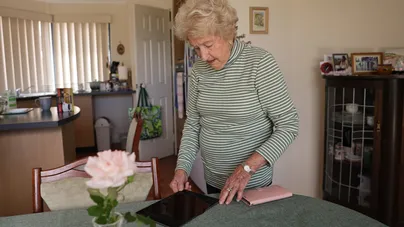
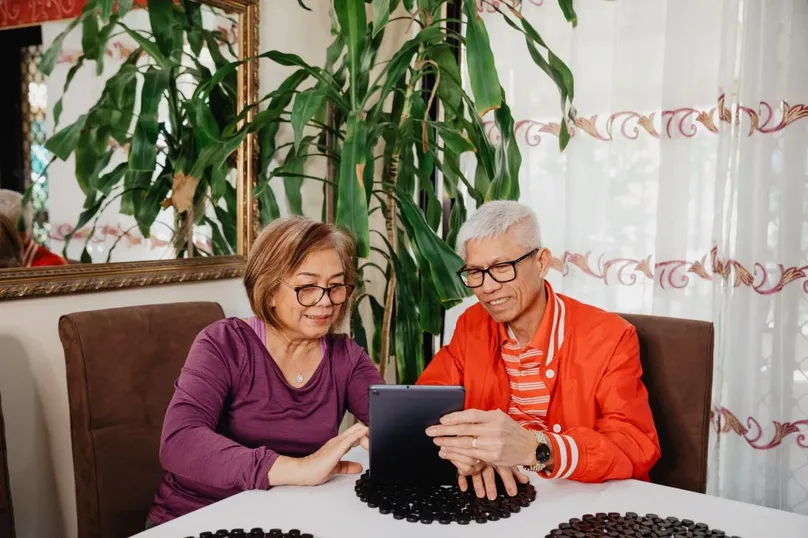
Being cybersecure is keeping your digital devices, personal information, money, and online data safe. This includes being secure on dating websites.

Online dating has become an exciting way for older people in Australia to connect. Whether you’re looking for friendship or romance, the internet can help you meet people. Still, prioritising your safety is essential.
Here’s how you can navigate the world of online dating with confidence.
Choosing the right platform
Choose dating platforms with good reputations, especially those tailored to older adults.
See what your peers have to say. Look for positive reviews from other users.
Make sure the platform includes safety features, such as profile verification. And don’t forget to read through the privacy policies.
Creating a secure profile
Be careful of what information you share in your profile and messages.
Keep details like your full name, address, and phone number private until you trust the person.
You can choose a username and profile photo that reflect your personality. But try do this without revealing too many personal details.
Safe communicating
Use the messaging platform provided by the dating site at first. This will be more secure than using other messaging apps.
Set expectations early. Be clear and upfront about your intentions to avoid misunderstandings.
Don't rush. Build trust over time before sharing your personal details or identifying information.
Meeting in person
Meet somewhere public for the first time, if you choose to meet in person.
Don’t forget to tell someone before you go. Share your plans, including who you’re meeting and where, with a friend or family member.
Trust your instincts
If something feels off during your conversations, listen to your gut.
Be alert if the match seems too good to be true. It can be worth investigating this unease.
It’s always acceptable to take a step back if you’re feeling uncomfortable. You can let the other person know if you need time, space, or to end your communication.
Protecting yourself from catfish and scams
A catfish is someone who creates a false online identity to trick you. They often ask for money or try to blackmail you with sensitive information.
Here are some tips for protecting yourself from catfish:
- Watch for red flags. Look for inconsistencies in their story or behaviour.
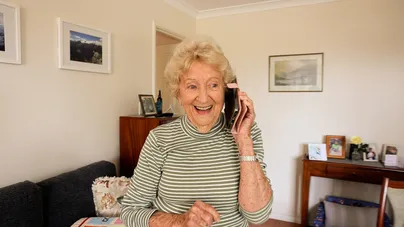
- Suggest a video call early to verify their identity.
- Never send money, even if someone claims it’s an emergency.
- Learn how to report users on the platform if you suspect a scam.
Using reverse image search with Google or Bing
You can verify profile pictures with these popular websites using the following steps:
On Desktop
- Right-click the image and save it.
- Open Google or Bing in your desktop web browser.
- Click the camera icon in the search bar (icon looks like a small square with a dot inside) to search by image.
- Upload the saved picture. You can drag and drop the image into the search box, or select 'upload an image' to browse your computer.
On Smartphone or tablet
- Save the image or take a screenshot.
- Open Google or Bing in your phone web browser.
- Tap the camera icon in the search bar (icon looks like a square with a dot inside).
- You may have to select 'allow camera access'.
- Select the saved image to upload. (In Bing you can do this by selecting the picture icon in the bottom left corner once camera is open.)
Google will search the internet for similar images. If the same picture appears on other profiles or sites, it’s a sign to be cautious of the person.
If you’ve been scammed
If you discover that your match isn’t who they claimed to be, you’re not alone. Romance scams are designed to be convincing, and they can happen to anyone.
It's not uncommon, according to the National Anti-Scam Centre. Older Australians reported losses of $3.5 million to romance scams from April to June 2024.
Here’s what to do if you suspect or know you’ve been targeted:
- Cut communication immediately. Stop talking with the scammer and report their profile to the dating platform.
- Contact your bank. If you’ve sent any money, let your bank know right away to stop further transactions.
- Secure your accounts. Change the passwords on any accounts where you may have shared details.
- Seek support. Confide in trusted friends or family for emotional support.
Reach out, don't be ashamed
Remember, scammers rely on shame to keep victims silent. If you’re feeling embarrassed or overwhelmed, now is the time to be kind to yourself and take steps to move forward.
- Learn about finding mental health support here.
- Find more information about protecting yourself online and improving your cyber security here.
Be safe and have fun
Approach dating, whether online or in person, with an open mind and the goal of enjoying yourself. Relationships take time to develop. So, let your connections grow naturally.
Online dating can be a wonderful way to meet new people, but your safety should always come first. Stay vigilant, embrace the technology, and enjoy the journey of forming meaningful connections.
Get in touch with LiveUp
If you need more information, take the LiveUp quiz or get in touch with one of our helpful team on 1800 951 971.
Cyber.gov.au is provided by the Australian Cyber Security Centre. They provide practical steps to keep yourself and your family secure. These steps have been translated into different languages.
References
National Aged Care Advisory Service. (2024). NASC quarterly update: April–June 2024. https://www.nasc.gov.au/reports-and-publications/quarterly-update/nasc-quarterly-update-april-june-2024
How to use this information
LiveUp provides free information to help you make informed decisions about your health. This information is for general and educational purposes only, is not intended to provide a comprehensive guide, and does not replace medical advice. Everyone is different, so some of these tips may work better for you than others. You should use your own judgment and seek medical advice when applying this information to yourself, to determine if it is suitable in your circumstances. Your use of, or reliance on, this information is solely at your own risk. Independent Living Assessment Incorporated is not responsible or liable for any injury, loss, or damage caused as a result of your use of, or reliance on, this information.
Download and print this article:
You can print out the PDF and stick it to your fridge or file away the tips to revisit at a later time.

Read more Safety articles
Did you enjoy this article? You may also like reading similar healthy ageing articles.
See all Safety articles